
Our recommendation
Switch one facility and one quarter at a time. Save your SimplePBJ history, make sure your own submitter can log in to iQIES, then import the original payroll and agency files into EasyPBJ, answer the review questions, fix each finding, and compare the totals with your last SimplePBJ filing before you upload anything.
Before you cancel: keep your history and confirm iQIES access
- Export what you will need later. Save filed PBJ XML, the CMS validation reports, employee ID crosswalks, and any notes behind corrections. Check your SimplePBJ contract for notice periods and how long your data stays available.
- Confirm who submits. SimplePBJ’s iQIES guidance describes approving it to submit for your facility. With EasyPBJ, your own authorized submitter uploads in iQIES, so that person needs a working HARP account and facility access first. See how to set up the new PBJ login.
- Pick a quiet quarter to start. Switch with time to spare before the filing deadline, not in the last week.
Download the switching checklist (CSV) to track each item.
Gather the original source files
EasyPBJ works from the same exports SimplePBJ read: your payroll or time system, plus any agency and contract staffing files. For one full quarter, collect files with employee ID, work date, hours, job title, and pay type. Column names can differ; you confirm what each one means during import.
Not sure your export has what it needs? Compare it with the import template (CSV) and the supported file layouts.
See how the review works.
Follow example records through the EasyPBJ sample.
Step 1: Import the quarter and check the preview
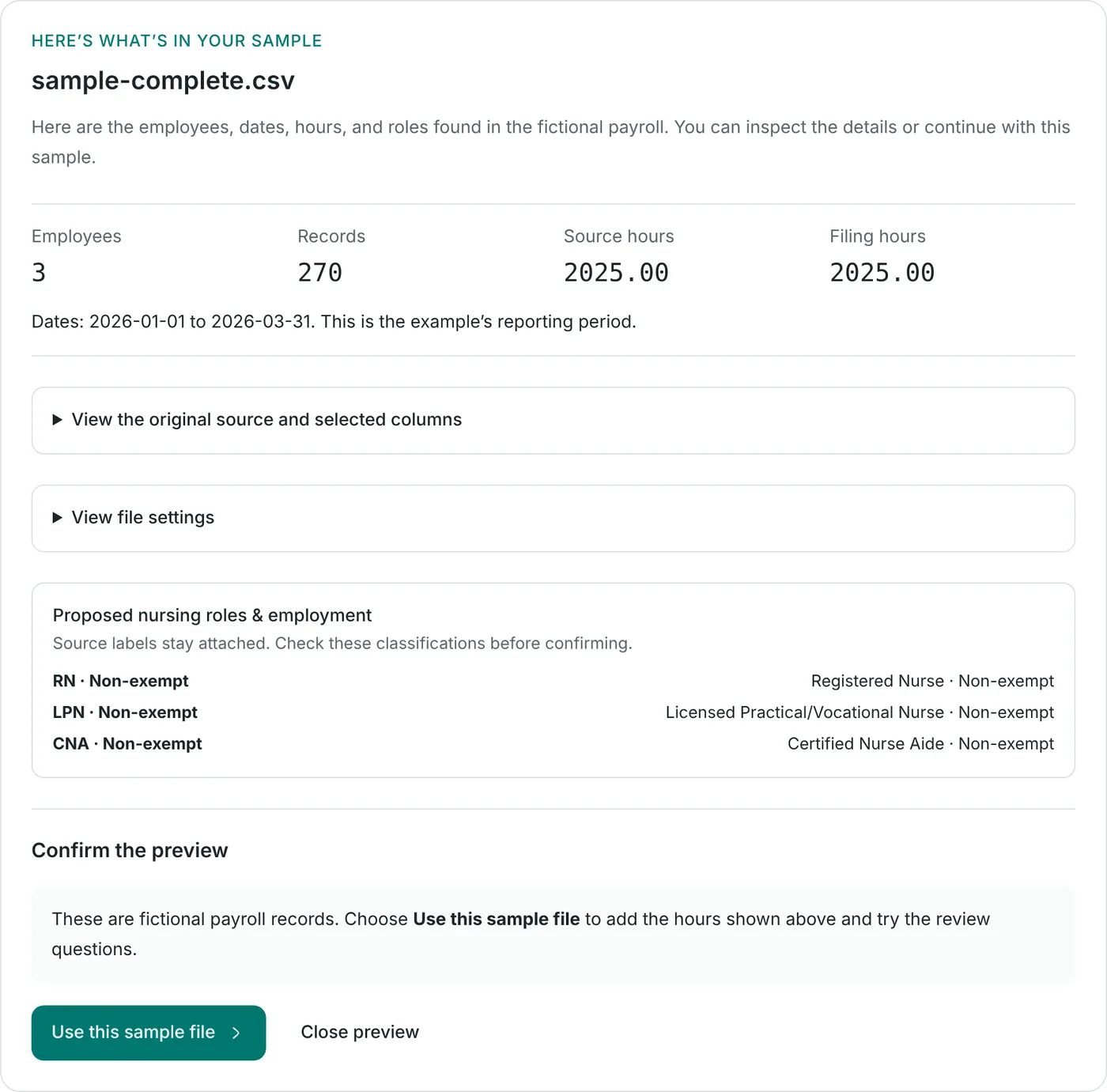
Create your facility, choose the quarter, and drop in the payroll and agency files. Before anything is added, EasyPBJ shows the employees, records, dates, and hours it found, plus the CMS role it proposes for each job title. You confirm the preview; nothing is added silently.
Step 2: Answer the review questions
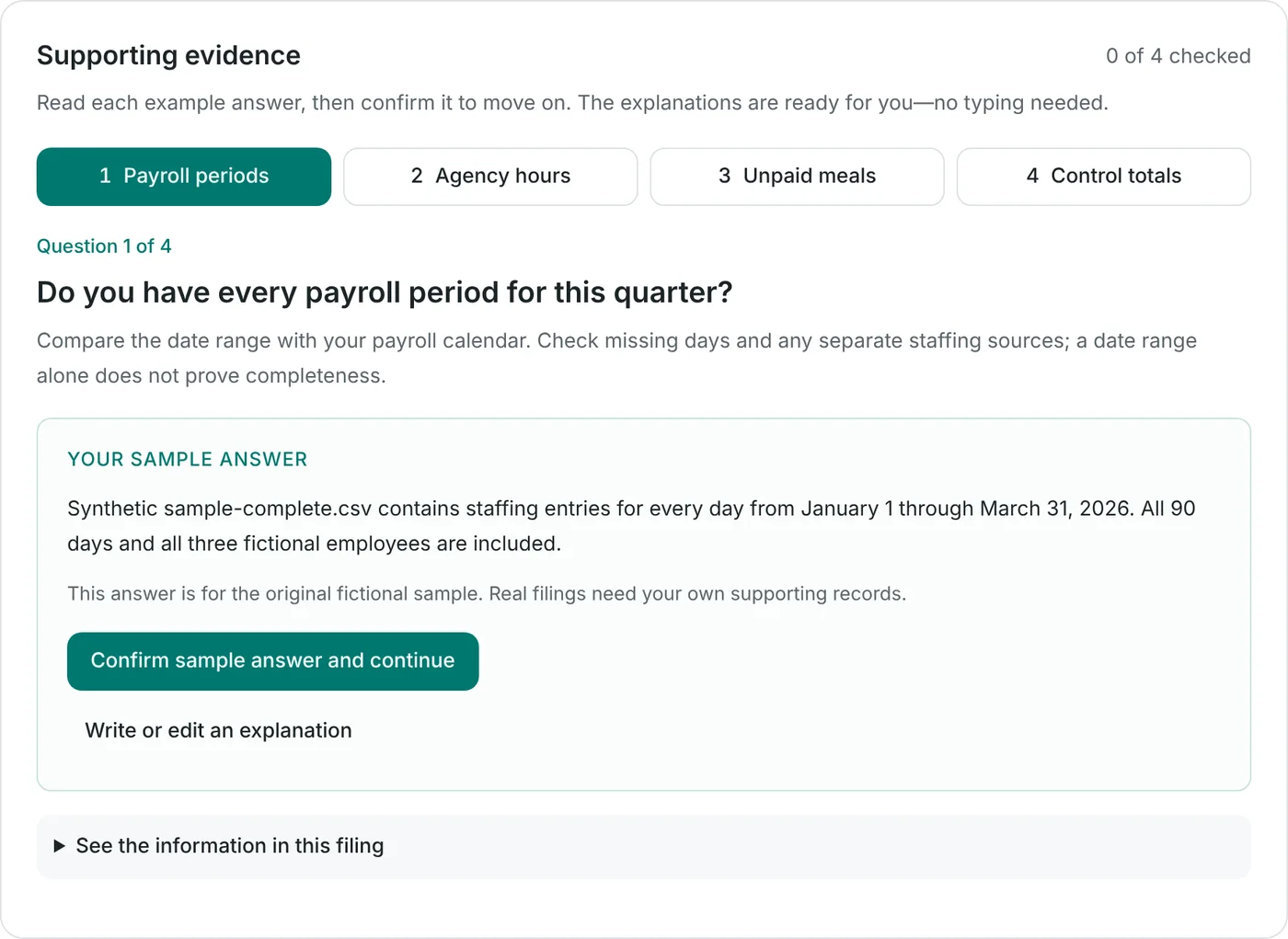
Each filing asks the questions a careful reviewer would, such as: are all payroll periods included, are agency hours in, were unpaid meals removed exactly once, and do the control totals match. Your answer and evidence stay with the filing for the next audit question.
Step 3: Fix findings, each tied to its source row
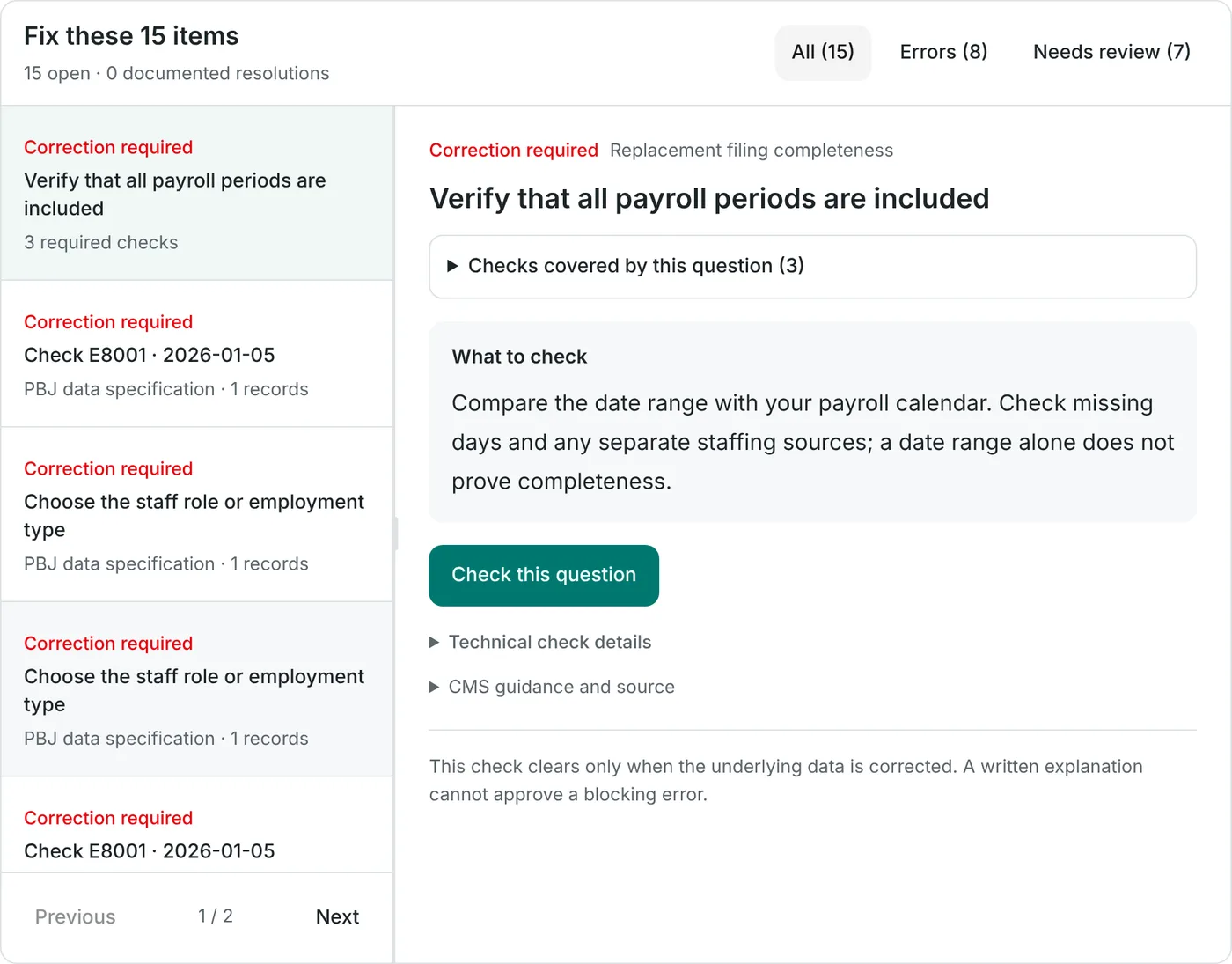
Data problems appear as a short list. Errors must be corrected in the data; items that need review take a documented decision. Each finding names the employee, date, and records involved so you can check the original file.
Step 4: Compare totals with your last SimplePBJ filing
Before you upload, compare total hours by employee, job category, and month against the SimplePBJ filing for the same quarter. Treat the old total as a comparison point, not the answer.
Example: if EasyPBJ shows eight more hours, find the employee and date first. It could be a duplicated agency shift, or hours the earlier filing missed. Close each difference with evidence, never with an adjustment made just to match. For a second opinion, the $49 consultant review gives written findings and one follow-up check.
Step 5: Download, upload in iQIES, and check the CMS report
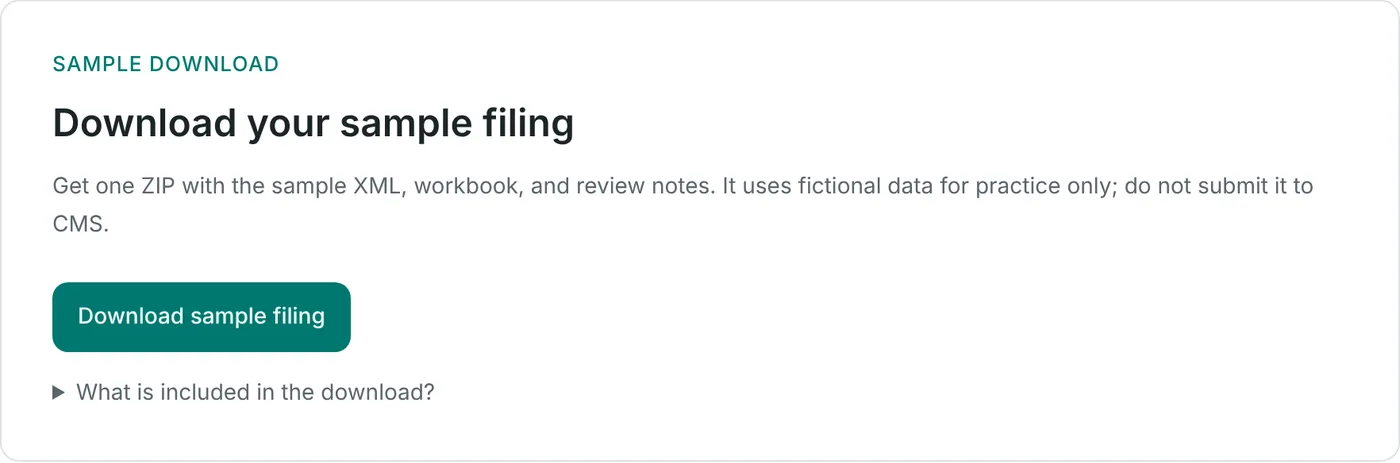
The download contains the CMS PBJ XML, a review workbook, and the audit record. Your submitter uploads the XML in iQIES, then reads the Final Validation Report. A downloaded file is not proof of CMS acceptance. The report shows whether each record was accepted; correct and resubmit any rejected records before the deadline.
Save your column setup as a template during import, and next quarter’s files from the same system start from it. Read the iQIES submission guide for the upload itself.
Common questions
Can I import my SimplePBJ project or PBJ XML into EasyPBJ?
No. EasyPBJ builds the filing from your original payroll and agency spreadsheets (CSV, TSV, XLSX, or XLS), so every hour can be traced to a source row. Keep your SimplePBJ exports and CMS reports as your history and as a comparison point.
Do I need my own iQIES access after switching?
Yes. SimplePBJ describes a setup where it can submit for your facility after access approval. EasyPBJ does not submit to CMS: your facility’s authorized submitter uploads the XML in iQIES. Confirm that person has working HARP and iQIES access before your first deadline. Our iQIES login guide walks through it.
Can I try EasyPBJ before canceling SimplePBJ?
Yes. Importing, reviewing, and preparing a quarter is free, so you can prepare one quarter in both systems and compare the totals before you decide. Start with the sample filing if you want to see the workflow without uploading payroll.
What does EasyPBJ cost after switching?
Downloads are free for quarters with up to 25 unique employees per facility. Larger quarters need the $149 per facility per quarter plan, only when you download. See the price comparison.
Sources and comparison notes
Prepared with AI assistance from the linked sources and EasyPBJ’s current workflow. Screenshots come from the public sample filing and contain only fictional records. Confirm your own contract, retention, and iQIES access terms before changing software.
- EasyPBJ: sample filing
The screenshots in this guide were captured from the public sample on October 22, 2026. All records are fictional.
- EasyPBJ: supported payroll file layouts
CSV, TSV, XLSX, and XLS imports with confirmed mappings. File import, not a direct payroll connection. Checked October 22, 2026.
- EasyPBJ: pricing and free download allowance
Free preparation, free downloads for quarters with up to 25 unique employees per facility, and $149 per facility per quarter above that. Checked October 22, 2026.
- SimplePBJ: iQIES access and submission workflow
July 1, 2026 vendor guidance describing facility access approval for submission through SimplePBJ. Checked September 14, 2026; customer setup was not tested.
- CMS: Staffing Data Submission (PBJ)
Official PBJ submission resources and iQIES guidance. Checked October 22, 2026.
Make the comparison with a filing in front of you.
Prepare and review your quarter in EasyPBJ free. Downloads are free up to 25 employees per facility per quarter; larger quarters are $149 every three months. Import payroll, review the details, and prepare your filing package.
Want a professional second check? Add a $49 PBJ consultant review for one facility’s quarterly filing, written findings, and one follow-up check of corrections. Your team confirms timing and payment with us before the review starts.